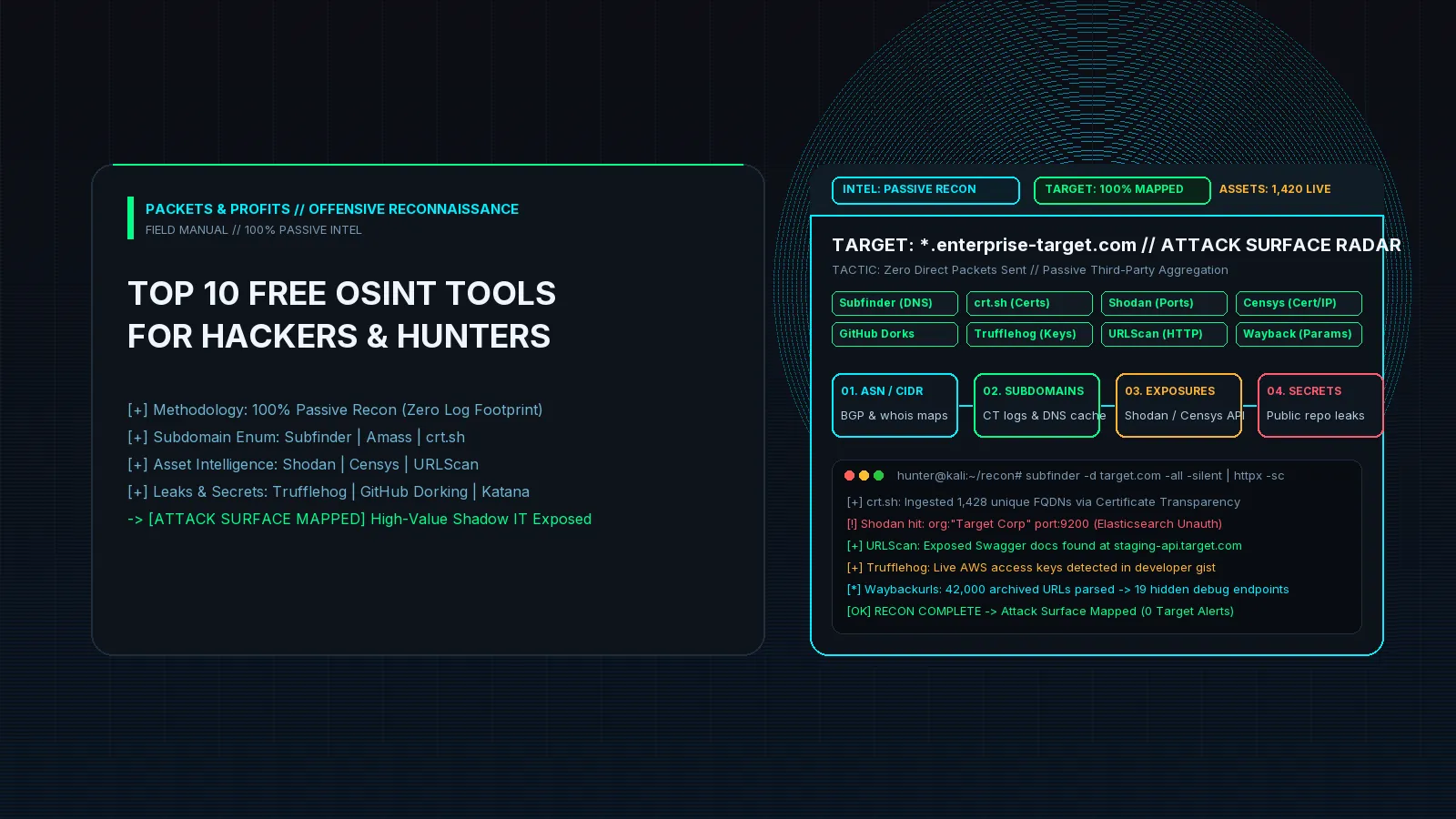
In modern offensive security and bug bounty hunting, the hacker who spends five minutes throwing automated vulnerability scanners at target.com will almost always hit a hardened Web Application Firewall (WAF) and walk away empty-handed.
The top 1% of researchers take an entirely different route: Open Source Intelligence (OSINT) and passive attack surface mapping.
Before transmitting a single TCP packet to the target organization’s primary domain, professional operators map the entire digital perimeter using third-party datasets, certificate logs, historical snapshots, and public code repositories. By doing so, they locate unmaintained staging clusters, exposed developer dashboards, unauthenticated databases, and leaked cloud credentials—all without triggering a single alert on the target’s Security Operations Center (SOC) dashboards.
Here is the definitive guide to the top 10 free OSINT tools used by elite security researchers, complete with real-world attack vectors, battle-tested terminal commands, and automated recon pipelines.
The Offensive OSINT Paradigm: Why Passive Recon Wins
Traditional active scanning (e.g., nmap -sS -A target.com) is noisy, easily rate-limited, and often blocked by Cloudflare or AWS Shield.
Passive OSINT, by contrast, interrogates third-party aggregators that have already indexed the target:
                                  [ THE PASSIVE OSINT FUNNEL ]
                                                │
         ┌──────────────────────────────────────┴──────────────────────────────────────┐
         ▼                                      ▼                                      ▼
[ CERTIFICATE TRANSPARENCY ]             [ SEARCH ENGINES & INDEXES ]           [ CODE & SECRET AUDITING ]
 crt.sh | Censys | CertSpotter            Shodan | URLScan | Waybackurls          GitHub Dorks | TruffleHog
         │                                      │                                      │
         └──────────────────────────────────────┼──────────────────────────────────────┘
                                                │
                                                ▼
                                   [ AGGREGATED ATTACK SURFACE ]
                                - 1,500+ Discovered Subdomains
                                - 42 Direct Origin IPs (Bypassing CDN)
                                - 3 Unauthenticated Elasticsearch Clusters
                                - 1 Leaked AWS Session Token in Public Gist
By querying platforms that constantly scan the global IPv4 address space or monitor the Certificate Transparency (CT) log ecosystem, you gather high-fidelity intelligence on your target with zero network footprint on their boundary firewalls.
1. Subfinder (ProjectDiscovery)
Why Hackers Use It
Subfinder is the industry standard for passive subdomain enumeration. Written in Go, it queries over 40 passive sources—including VirusTotal, Censys, Chaos, CertSpotter, Shodan, and AlienVault—to aggregate subdomains without sending a single DNS query to the target’s authoritative nameservers.
Real-World Attack Scenario
An enterprise target protects app.target.com with a strict Cloudflare enterprise WAF. Running Subfinder reveals an unlinked, legacy microservice: dev-admin-internal.eu-west-1.target.com. The endpoint hosts an older build of the application where authorization checks were completely omitted, permitting instant administrative takeover.
Practical Execution & Commands
Install Subfinder and configure free API keys in ~/.config/subfinder/provider-config.yaml to unlock 5x more data:
# Run passive enumeration silently across all available sources
subfinder -d target.com -all -silent -o subdomains_raw.txt

# Inspect discovered assets
head -n 10 subdomains_raw.txt
Pro Tip: Chaining with httpx and dnsx
Subfinder finds domains that may no longer be alive. Pipe its output into dnsx for rapid multi-threaded resolution, then into httpx to extract web server titles and status codes:
subfinder -d target.com -all -silent \
  | dnsx -silent \
  | httpx -silent -title -status-code -tech-detect -o live_assets.txt
2. crt.sh (Certificate Transparency Logs)
Why Hackers Use It
Under modern browser security standards, every public SSL/TLS certificate issued by a Certificate Authority (CA) must be published to append-only Certificate Transparency (CT) logs. crt.sh is a publicly accessible PostgreSQL-backed database that indexes these certificates.
Real-World Attack Scenario
A fintech platform prepares to launch a new crypto exchange service. Two weeks before the public announcement, an engineer provisions an SSL certificate for beta-wallet-transfer.target.com. Because CT logs are updated almost instantaneously, a researcher discovers the endpoint, identifies an unauthenticated API endpoint, and files an IDOR before the feature ever goes live.
Practical Execution & Commands
You can query crt.sh directly via browser or automate JSON extraction in Bash using curl and jq:
# Query crt.sh JSON endpoint, extract subdomains, clean wildcards, and sort unique
curl -s "https://crt.sh/?q=%25.target.com&output=json" \
  | jq -r '.[].name_value' \
  | sed 's/\*\.//g' \
  | tr '[:upper:]' '[:lower:]' \
  | sort -u > crtsh_subdomains.txt
Pro Tip: Wildcard & SAN Mining
Always inspect the Subject Alternative Name (SAN) field in certificate outputs. Often, a single certificate issued for target.com will also list obscure internal domains like auth-service-vpc.internal-target.net.
3. Shodan
Why Hackers Use It
Shodan is the world’s premier search engine for Internet-connected devices. Instead of indexing HTML page content, Shodan scans the entire IPv4 address space continuously, indexing server banners, open ports, SSL certificates, and protocol metadata (RDP, SSH, MQTT, Redis, HTTP).
Real-World Attack Scenario
While looking for entry points into a Fortune 500 company, a hunter queries Shodan for the company’s autonomous system number (ASN) combined with port 9200. Shodan flags an unauthenticated Elasticsearch database listening on an obscure IP address belonging to the organization’s cloud provider, exposing 4.2 million customer records.
High-Yield Shodan Search Filters
| Filter Syntax | Objective |
|---|---|
ssl.cert.subject.CN:"target.com" |
Finds servers presenting the target’s SSL certificate regardless of IP |
org:"Target Corporation" port:9200 |
Uncovers Elasticsearch clusters owned by the target |
net:192.0.2.0/24 "HTTP/1.1 200" |
Sweeps an entire target CIDR block for responsive web servers |
http.title:"Dashboard" org:"Target" |
Targets administrative and monitoring portals (Grafana, Kibana) |
port:5432 "PostgreSQL" "trust" |
Locates exposed database instances accepting passwordless logins |
Practical Execution via Shodan CLI
# Initialize Shodan CLI (Free tier API key available with account)
shodan init <YOUR_API_KEY>

# Search for open management ports across target organization
shodan search --fields ip_str,port,org,hostnames 'ssl.cert.subject.CN:"target.com" port:8080,8443,9000,9200'

# Download all banner information for target netblock into gzip archive
shodan download target_recon 'net:203.0.113.0/24'
shodan parse --fields ip_str,port,data target_recon.json.gz
4. Censys Search
Why Hackers Use It
Censys scans internet infrastructure with high-frequency ZMap technology, maintaining deep records on hosts, open ports, and X.509 certificates. For offensive researchers, Censys’s killer feature is unmasking origin server IP addresses hidden behind reverse proxies like Cloudflare or Akamai.
Real-World Attack Scenario
A high-value target routes all web traffic through Cloudflare, preventing direct IP port scanning and blocking automated tools. By searching Censys for servers whose TLS certificates match target.com while excluding Cloudflare’s ASN, the researcher discovers the true origin IP (198.51.100.42). Sending direct HTTP requests to that IP with Host: target.com bypasses Cloudflare entirely, exposing rate-limit-free endpoints.
       [ NORMAL USER REQUEST ]
User ─────────> Cloudflare WAF / CDN (403 Forbidden / Rate Limited)
                      │
                      ▼ (Protected)
                 Target Origin

       [ OSINT ORIGIN BYPASS ]
Hacker ──[ Censys Cert Match ]──> Direct Origin IP (198.51.100.42)
  └─ curl -H "Host: target.com" http://198.51.100.42/ ──> (200 OK - No WAF!)
High-Yield Censys Query
services.tls.certificates.leaf_data.names: target.com AND NOT autonomous_system.name: "CLOUDFLARENET"Practical Execution via Python
import os
from censys.search import CensysHosts

h = CensysHosts()
query = 'services.tls.certificates.leaf_data.names: "target.com" and not autonomous_system.asn: 13335'

for page in h.search(query, per_page=10):
    for host in page:
        print(f"[+] Discovered Origin Candidate: {host['ip']} | ASN: {host.get('autonomous_system', {}).get('name')}")
5. TruffleHog (Truffle Security)
Why Hackers Use It
Developers commit code quickly and frequently forget that .git directories remember everything. TruffleHog is a specialized engine that scans Git repositories, commit histories, Gists, and S3 buckets for over 800 credential types—and verifies whether those credentials are currently active via cryptographic handshakes.
Real-World Attack Scenario
A developer working for a healthcare portal pushes an open-source utility repository to personal GitHub. In an initial commit that was “reverted” three years ago, TruffleHog detects an unrevoked AWS IAM root access key. The key provides full administrative control over the company’s production S3 buckets.
Practical Execution & Commands
# Scan an entire target GitHub organization for verified active credentials
trufflehog github --org=targetorg --only-verified

# Scan a specific public repository including every commit and branch
trufflehog git https://github.com/targetorg/mobile-sdk.git --only-verified

# Scan a public S3 bucket or local directory
trufflehog s3 --bucket=target-public-assets
Hacker’s Rule: Always run
--only-verified. This instructs TruffleHog to query provider APIs (AWS, Slack, Stripe, Sendgrid) to ensure the secret is live before you report it, filtering out false positives.
6. Waybackurls & GAU (GetAllUrls)
Why Hackers Use It
Web applications evolve constantly, but deleted endpoints often remain live on backend servers without public links. Tools like waybackurls and gau fetch every URL historically indexed by the Wayback Machine, Common Crawl, AlienVault OTX, and URLScan.
Real-World Attack Scenario
A modern single-page React application reveals very few API parameters in its current production JavaScript bundles. Running waybackurls across target.com extracts archived URLs from 2021. The researcher spots an old debug endpoint: /api/v1/export_user?user_id=101&debug=true. The endpoint was never removed from the server and is vulnerable to unauthenticated BOLA/IDOR.
Practical Execution & Commands
# Fetch all historical URLs for target and clean query parameters
gau target.com --subs | waybackurls | sort -u > raw_history_urls.txt

# Extract endpoints containing interesting parameters (id, redirect, debug, file)
grep -E "(\?|&)(id|file|path|url|redirect|debug|token|admin)=" raw_history_urls.txt > vulnerable_params.txt

# Filter down to interesting file extensions
grep -E "\.(json|xml|yaml|sql|env|bak|log|conf)$" raw_history_urls.txt
7. OWASP Amass
Why Hackers Use It
OWASP Amass is an enterprise-grade attack surface mapping framework. Beyond basic subdomain brute-forcing, Amass specializes in network infrastructure mapping: tracking Autonomous System Numbers (ASNs), BGP routing tables, Reverse DNS sweeps, and organization registries to establish the full legal and technical boundary of a target.
Real-World Attack Scenario
A bug bounty program has a scope defined as “Any asset owned by Target Corp”. Instead of guessing domains, an operator uses Amass Intel to discover that Target Corp acquired a smaller European entity three months prior. Amass maps the subsidiary’s ASN, uncovering a Class-B subnet (/16) filled with unpatched development machines that are completely in-scope.
Practical Execution & Commands
# 1. Discover Target Organization ASNs and Netblocks
amass intel -org "Target Corporation"

# 2. Reverse WHOIS & ASN IP range mapping
amass intel -asn 12345 -active

# 3. Comprehensive passive enumeration with graph database visualization
amass enum -d target.com -passive -dir ./amass_output

# 4. View relationship graph in terminal
amass db -dir ./amass_output -show
8. GitHub Dorking & Grep.app
Why Hackers Use It
Modern software supply chains leak enormous amounts of sensitive internal data through public GitHub repositories, configuration files, and developer commit messages. Grep.app indexes half a million public Git repositories, allowing full regular expression searches across millions of lines of source code.
Real-World Attack Scenario
A researcher searches GitHub for internal endpoints matching the target’s internal domain structure: target.internal.corp. They discover a .env.example committed by an offshore contractor that contains staging database connection strings, internal VPN gateway addresses, and a secret JWT signing key.
Lethal GitHub Dorking Cheatsheet
# Internal endpoints and API documentation
org:target-org "internal.target.com"
org:target-org "swagger" OR "api-docs"

# Hardcoded authentication & credentials
org:target-org "Authorization: Bearer"
org:target-org "client_secret"
org:target-org filename:credentials OR filename:config.json

# Environment files and private keys
org:target-org filename:.env
org:target-org extension:pem OR extension:key "PRIVATE KEY"
"target.com" password OR secret OR token
Automation with git-hound
Automate these queries using CLI tools like git-hound, which ingest regex patterns and parse GitHub search results automatically while bypassing rate limits.
9. URLScan.io
Why Hackers Use It
URLScan.io is a public sandbox that executes automated browser scans of websites. When third-party security teams or automated crawlers submit URLs for inspection, URLScan records the entire DOM, all outbound network requests, IP addresses, technologies, and response headers—making it an intelligence goldmine.
Real-World Attack Scenario
An employee at a target enterprise tests an internal Okta Single Sign-On (SSO) integration and pastes the full redirect URL into URLScan to check why it’s failing. The public URLScan database captures the full URL—including an active OAuth authorization code: https://auth.target.com/callback?code=eyJraW.... A researcher searching URLScan finds the unexpired code and logs in directly.
High-Yield URLScan Search Queries
| Query String | What It Finds |
|---|---|
page.domain:target.com |
Every public scan executed against the domain |
task.url:target.com/admin |
Historical scans of administrative pages |
task.url:*.target.com "Authorization" |
Requests capturing HTTP authorization headers in URLs |
page.ip:198.51.100.* |
All sites hosted on the target’s IP subnet |
CLI Extraction via API
# Search URLScan API for target domain and pull HTTP transactions
curl -s "https://urlscan.io/api/v1/search/?q=page.domain:target.com&size=100" \
  | jq -r '.results[].page | "\(.domain) - \(.ip) - \(.url)"' \
  | sort -u
10. S3Scanner & Cloud Storage Enum
Why Hackers Use It
Enterprises migrate petabytes of assets to cloud storage providers (Amazon Web Services S3, Google Cloud Storage buckets, Microsoft Azure Blobs). Misconfigured Access Control Lists (ACLs) frequently allow anonymous or any-authenticated-user read/write access. S3Scanner automates finding and testing permissions across public cloud buckets without destructive interaction.
Real-World Attack Scenario
Using permutation techniques on the target name target-corp, an operator generates candidate bucket names (target-corp-backup, target-corp-prod-db, target-corp-internal). S3Scanner finds that target-corp-backup has the AllUsers: READ permission enabled, granting access to unencrypted database .sql.gz dumps.
Practical Execution & Commands
# 1. Generate wordlist permutations based on company name
cat << 'EOF' > permutations.txt
target
target-prod
target-backup
target-dev
target-assets
target-billing
EOF

# 2. Run S3Scanner against candidate list
s3scanner --bucket-file permutations.txt --dump

# 3. Manual verification using AWS CLI (without touching company data)
aws s3 ls s3://target-assets/ --no-sign-request
Legal & Ethical Rule: Never download customer data or sensitive business files from exposed buckets. Proving list capability (
aws s3 ls s3://bucket/ --no-sign-request) is 100% sufficient for a Critical bug bounty submission.
The Master Passive Recon Pipeline: From Zero to Mapped Target
Here is how elite operators tie these tools together into an automated, zero-packet-drop Bash pipeline:
#!/usr/bin/env bash
# Offensive OSINT Pipeline
TARGET="target.com"
mkdir -p "recon_${TARGET}"

echo "[*] Phase 1: Passive Subdomain Harvest..."
subfinder -d "${TARGET}" -all -silent > "recon_${TARGET}/subfinder.txt"
curl -s "https://crt.sh/?q=%25.${TARGET}&output=json" | jq -r '.[].name_value' | sed 's/\*\.//g' | sort -u > "recon_${TARGET}/crtsh.txt"

# Merge and deduplicate
cat "recon_${TARGET}/subfinder.txt" "recon_${TARGET}/crtsh.txt" | tr '[:upper:]' '[:lower:]' | sort -u > "recon_${TARGET}/all_subdomains.txt"
echo "[+] Discovered $(wc -l < "recon_${TARGET}/all_subdomains.txt") unique subdomains."

echo "[*] Phase 2: Resolving Active DNS Records..."
cat "recon_${TARGET}/all_subdomains.txt" | dnsx -silent -a -resp-only -o "recon_${TARGET}/resolved_ips.txt"

echo "[*] Phase 3: Web Server Fingerprinting & Probing..."
cat "recon_${TARGET}/all_subdomains.txt" | httpx -silent -status-code -title -tech-detect -follow-redirects -o "recon_${TARGET}/web_alive.txt"

echo "[*] Phase 4: Historical URL Mining..."
cat "recon_${TARGET}/all_subdomains.txt" | waybackurls | grep -E "(\?|&)(id|file|url|token|admin)=" | sort -u > "recon_${TARGET}/param_candidates.txt"

echo "[✓] Recon Complete. Review outputs in recon_${TARGET}/"
Operational Security (OPSEC) for OSINT Researchers
While passive OSINT avoids sending packets directly to the target’s infrastructure, your queries to third-party services can leak your research intent if proper precautions are ignored:
- DNS Leakage: When resolving subdomains discovered via crt.sh, your local ISP DNS resolver sees every single query. Always use encrypted DNS resolvers (DNS over HTTPS via Cloudflare
1.1.1.1or Quad99.9.9.9) or route DNS through a dedicated research VPS. - Account Blending: Never use personal Google, GitHub, or Shodan accounts when conducting authorized penetration tests or bug hunting. Use dedicated research aliases.
- Third-Party Caches: Be aware that scanning a site on URLScan.io in
Publicmode publishes your findings to the entire world—including competitor bug hunters and automated scrapers. UseUnlistedmode when testing targets under strict NDA.
Wrapping Up
The difference between mediocre bug hunters and top-tier researchers isn’t who has the fastest exploit payload—it’s who has the clearest map of the battlefield.
By mastering Subfinder, crt.sh, Shodan, Censys, and TruffleHog, you systematically identify the neglected corners of an organization’s perimeter that automated scanners miss. Integrate these 10 tools into your workflow, practice passive correlation, and watch your bounty hit rate accelerate.